Close counts
Every target has its own ± range. Land anywhere inside it and the day is a win. The band is on the ring, with an edge at each end, so you can see it.
Residual builds the plan, tracks you against it, and re-sizes what's left when real food doesn't match.
On the App Store · iPhone · iOS 27 · No account · Your data stays on your phone and in your iCloud.

Drag the chicken to what you really ate. Stay inside your range and nothing needs to move. Leave it, and one button re-sizes what's left.
With white rice 250 g and olive oil 10 g.
A port of the app's solver, running in your browser. How it decides: calories first, then protein, then carbs; fat floats; nothing shrinks below half its plan or grows past double; portions on a 5 g grid. Nothing changes until you press the button.
Lands in range. Two meals ahead, sized to fit.
A glance tells you the day. Tap the ring and it answers the next question, each in the same place. Keep the ones you use.
Bring your own numbers, or work them out in the app from your body, activity and goal. Each gets its own ± band, and landing anywhere inside it counts.
Claude drafts it from your pantry and what you tell it, if you allow it; otherwise your iPhone does. Every plan says who wrote it. You pick each food's real match, and an estimate shows as one until you do.
Amounts start from the plan. Swipe a meal to log it as planned, or open it and change what differed. The plan stays exactly as it was.
A deterministic solver re-sizes the meals ahead by the smallest plausible change, and the screen says where the day lands before you eat it.


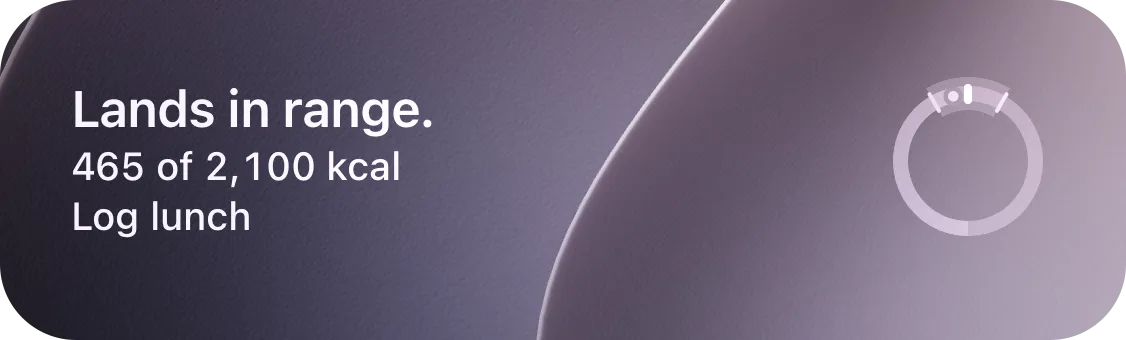
Every target has its own ± range. Land anywhere inside it and the day is a win. The band is on the ring, with an edge at each end, so you can see it.
Planned and eaten are two numbers, shown side by side. Logging fills in what you ate and leaves the plan as it was, and nothing counts until you log it.
Choose the USDA food yourself, or photograph the label. Until you do, an estimate is marked as one.
Eat something unplanned and the day says so in plain words. Then the meals ahead re-size: the same food in new amounts, and you see every change first.
Portions are amounts, on a 5 g grid unless you set another, and shown in ounces, cups or spoons if you prefer. A food that comes in pieces, like a bar, can go by the serving on its label.
Let a macro float. It's balanced last and never marks your day off. You choose the order the rest land in.
Your data lives on your phone and in your iCloud. Claude and USDA are reached directly, never through a server of ours.

You don't need friction when you're trying to build a habit.
In 2023 I weighed 300 pounds, and that's the year I ended up in the ER with AFib. That changed everything.
Changing what I ate and walking got me to 266, and then it stalled. This year I decided to stop messing around: a plan, tracking, CrossFit, all of it.
I felt like a data-entry nerd. Too many taps, text I couldn't read, and the same entries over and over, all day long. I only used those apps because everyone else did, and my nutritionist needed to see the data.
She kept warning me it would get hard. Tracking calories is the easy part. Tracking calories and macros together turns into a puzzle, and that's where people who started strong get worn out and quit.
She was right. So I started asking AI to plan a day of meals from what I had on hand, every portion included, and logging that plan ahead of time. Planning matters as much as logging: when you're really tracking, having a plan is the difference between seeing results and giving up.
Then the first meal would happen. The egg was bigger, or I was short on something, and the numbers were off before breakfast was over. So I'd take the actuals back to the AI, have it re-plan the rest of the day, and go back and forth between the two all day.
So I wrote the app. Planning and logging in one place, with AI to help. A pantry and saved meals, because people are predictable and eat the same simple food on repeat. I don't need exotic dinners I can't shop for; I need food I can make that gets me to my numbers. And sharing that's one AirDrop: my wife and I both track now, and a meal I make lands right in her day.
Residual is new, and it isn't everything to everyone. It doesn't have every food database, though adding a food takes a photo of its label. It won't guess at a picture of your restaurant plate, and if you're serious about your numbers, a guessed-at 1,500-calorie dinner was never going to fit anyway.
But it's the thing that helped me lose 52 pounds this year (as of November), stop playing food games, and keep going. Next stop is 200 by the end of the year.
Clark Sell made Residual
The workouts and the whole journey are on Instagram: @theclarksell
Residual is an iPhone meal planner and tracker for hitting your calories and macros without playing the food puzzle. You set each target with its own range. If you choose to use it, AI helps you build the day's meal plan: Claude drafts it from your pantry, your saved meals and what you tell it. Log what you actually eat, and a solver re-sizes the meals still ahead so the day still lands inside your ranges. It also plans days ahead, builds the grocery list, scans barcodes and Nutrition Facts labels, and shares a meal sized to someone else's targets.
See everything it doesThat is what Residual is for. Ate more than planned, less than planned, or something that was never in the plan: log what actually happened and the meals still ahead re-size by the smallest plausible change, so the day still lands where it needs to by tonight. When the ranges can't be met, it says so plainly, "Dinner alone can't fully recover", rather than shrinking a food to a token portion.
Most trackers record what you ate and show what's left, and working out what to eat with what's left is up to you. Some now add a meal planner, which mostly hands you recipes to swap or edit when the day changes. Residual starts from your own food, you track against that plan, and when you go off it, the same meals get a little bigger or smaller so you still land. It doesn't adjust your targets from your weight trend; it lands the targets you set, or the ones its TDEE calculator works out. It is younger, so there are gaps. It doesn't include every major food database: foods come from USDA FoodData Central and barcodes, and you can add any food yourself just by taking a picture of its Nutrition Facts label. There is also no dashboard for a nutritionist or trainer to follow along. Your data is never locked in: export any days as a CSV of eaten and planned grams per food, ready for a spreadsheet, a coach, or an AI to dig into.
How Residual comparesYour targets decide that; Residual helps you hit them. Weight changes when you eat below, at or above what you burn, day after day, and the days that wreck a plan are the ones that don't go to plan. Residual is built for those: log what really happened and the rest of the day re-sizes so you still land. Set a calorie target under what you burn, land it most days, and that is what moves the scale. It works the same way for cutting, bulking or holding steady.
Less than you're used to. A planned meal arrives with its amounts already filled in, so a meal eaten as planned is one swipe. When something differed, open it and change just that food, in 5 g steps unless you set another. New foods come from a USDA search, a barcode scan, or a photo of the Nutrition Facts label, read on your iPhone.
A scale is the most accurate, because every portion is stored as a weight. You don't need one: Residual shows portions in ounces, cups, tablespoons or millilitres too, so measuring cups and spoons work. And every target has a range, so close is good enough.
Residual works them out for you. Its TDEE calculator estimates what you burn from your body, activity and goal, and sets calories, protein, carbs and fat from it. Every number stays editable. If a coach or dietitian gave you targets, type those in instead.
Residual uses two models: Claude, from Anthropic, and Apple Intelligence on your iPhone. If you allow it, Claude drafts the day: meals, foods and grams from your pantry, your saved meals and what you tell it, and when a day can't land it can suggest a food, after asking you first. When Claude is off, offline or can't be reached, Apple Intelligence plans the day on your iPhone where it's on; otherwise the plan is built from your pantry and saved foods. That is all the AI owns. Landing the day inside your ranges is deterministic math, the same answer every time, with no AI in the loop.
Not today. Residual doesn't import from other trackers, and Apple Health support is coming in a later version. Starting fresh takes a few minutes: set your targets, plan a day, and your saved foods and meals build up as you go. Nothing gets locked in, either: any day exports as a CSV.
Apple Health on the roadmapOn your iPhone and in your private iCloud database. Planning with Claude asks first. A plan then sends your targets, the day so far, pantry foods, saved meals, recent meal names and your instructions to Anthropic through Apple's Foundation Models with App Attest; food search text goes to USDA FoodData Central. No account, no tracking, no analytics.
iOS 27 or later. Residual is iPhone only: there is no Android version, and one isn't on the near-term roadmap. It works offline: targets, logging, the solver and the forecast run on the phone, planning uses Apple Intelligence on the phone where it's on (otherwise your pantry, saved meals and built-in foods), and food search shows the foods you've already saved or used. Planning with Claude and USDA food search need a connection.
Residual Plus is $14.99 a month, $39.99 every 3 months or $124.99 a year (US prices), and every plan starts with a 14-day free trial. There is no free tier, no ads and no data sold: you pay for it, so you're the customer, not the product. Manage or cancel any time in Settings → your name → Subscriptions.
Why it costs what it costsBring your own numbers, or let Residual work them out from your body, activity and goal. Set them once, plan a day, and log what you ate. The first 14 days are free.